Persona
Seeing your world.
Everything you're about to put out, laid out where you can actually look at it — every brand, every platform, in one native app for Mac and iPhone.
Requires macOS 26.2 or later · Supports Apple silicon and Intel Macs · your library stays yours
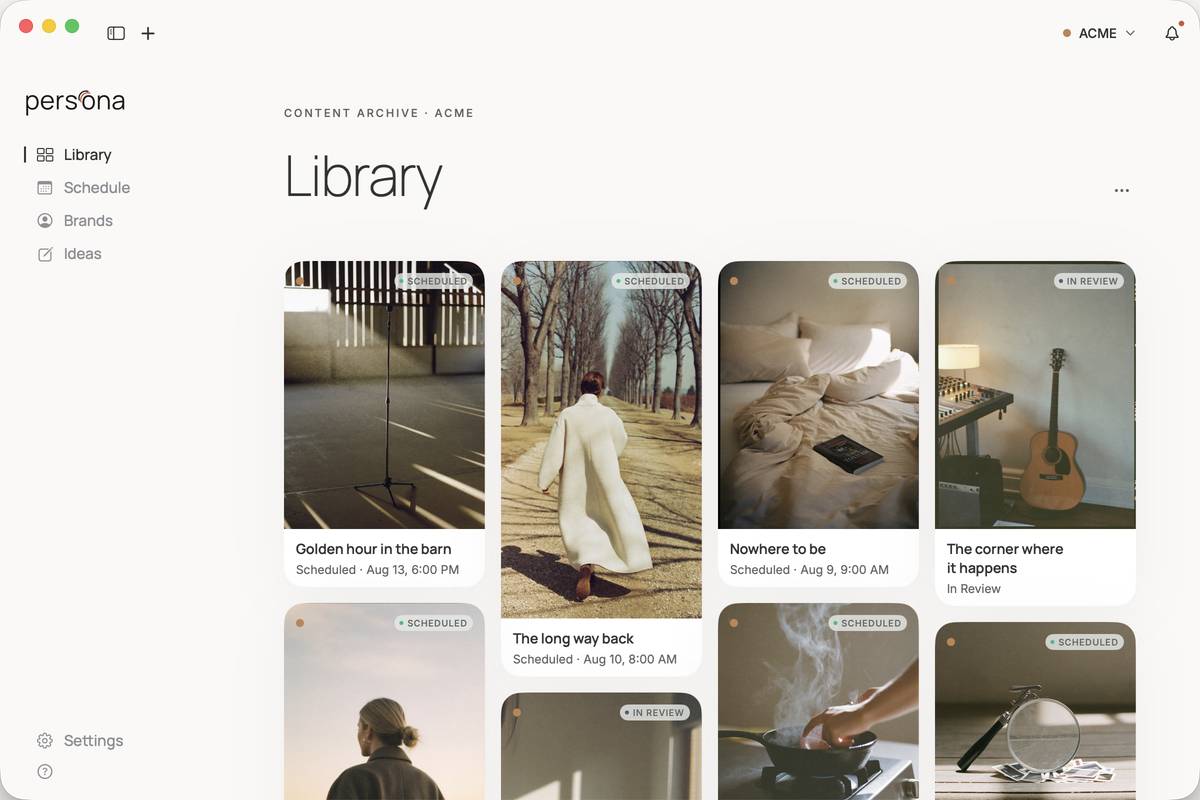
One global view
One view of every you.
Library, Schedule, every brand, every platform — one calendar that reads the way you think: what's going out, where, and as who. Plan the month on a Sunday. Show up all week.
01Library
Every post in one place, shown as the work itself.
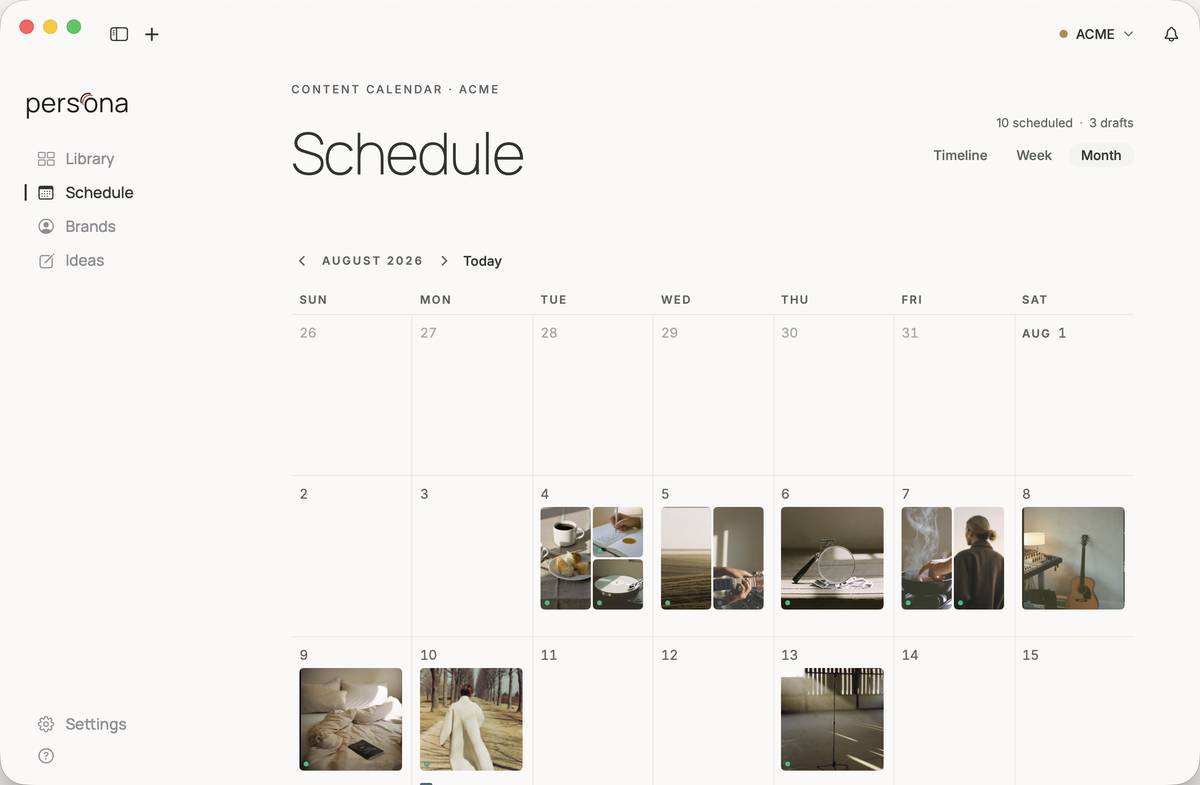
0230-day view
The month on one page: what goes out, and when.
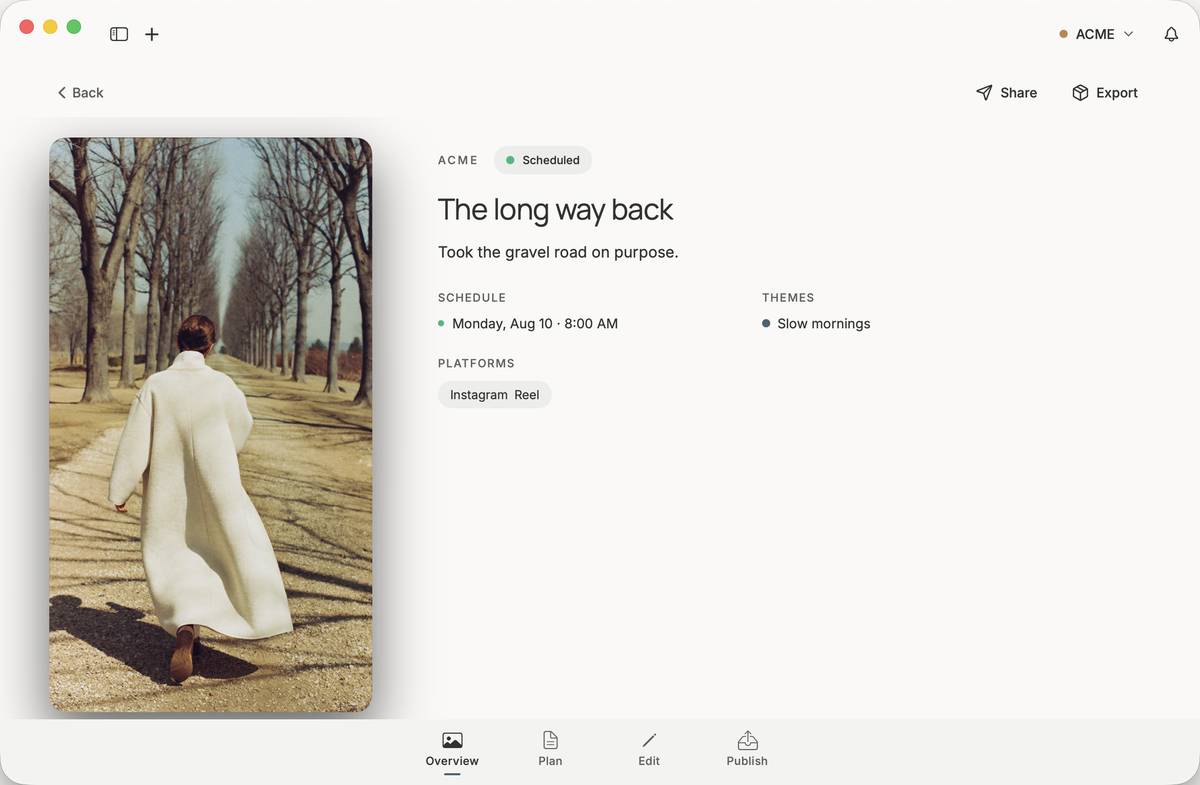
03Overview
Open a post and see it whole: what it says, where it's going, and when.
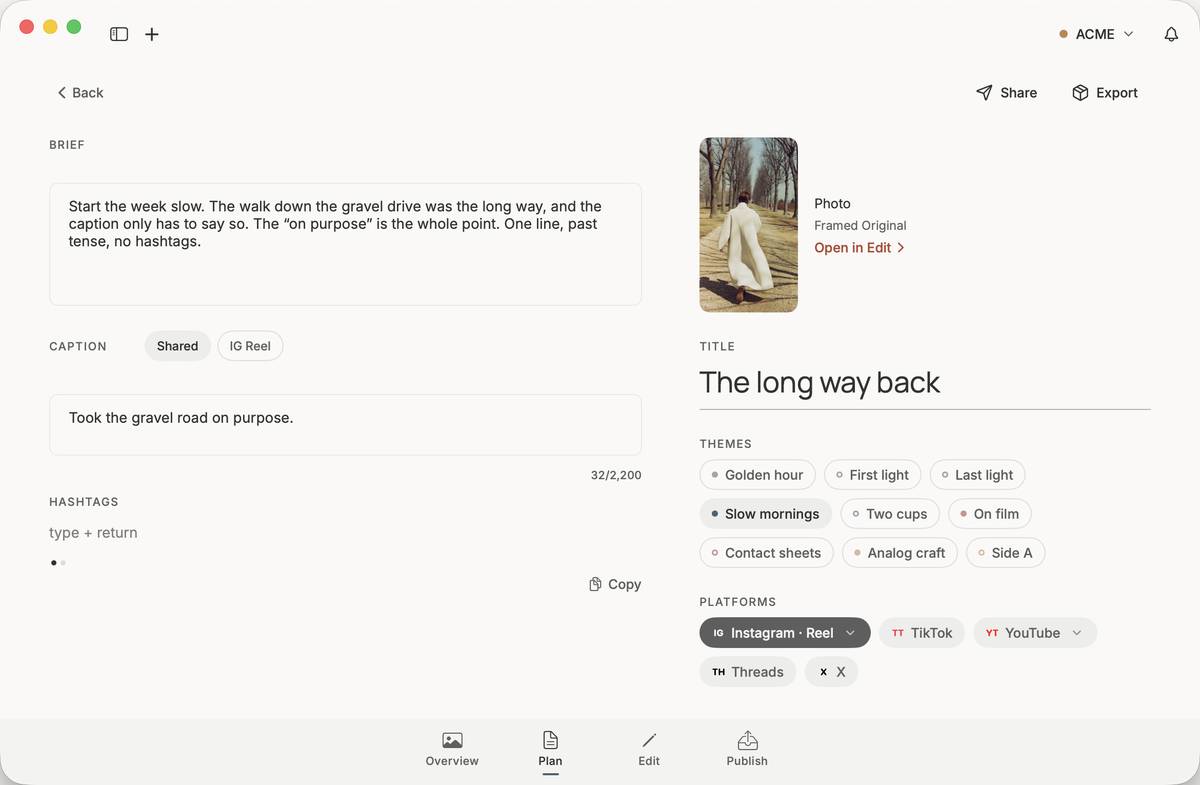
04Plan
The brief, the caption, the platforms. Write it once, or once per platform.
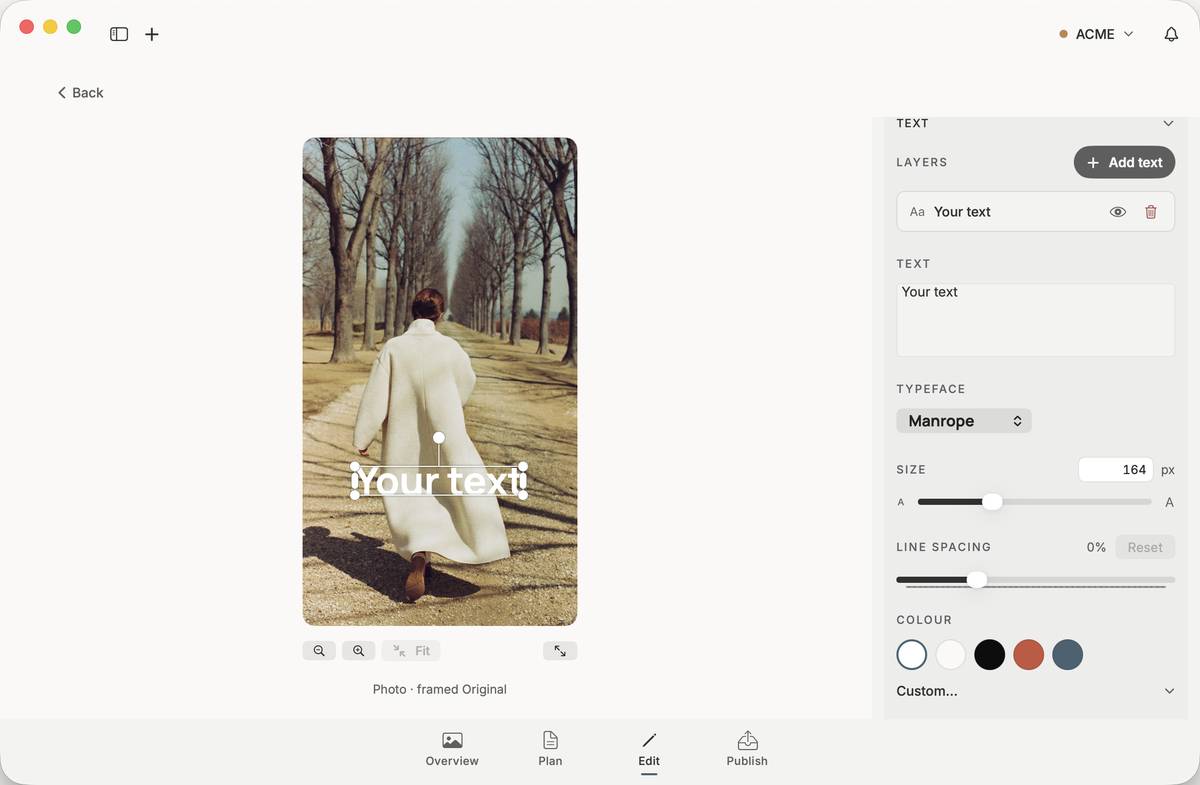
05Edit
Crop it, frame it for each platform, set type on it. The original file stays untouched.
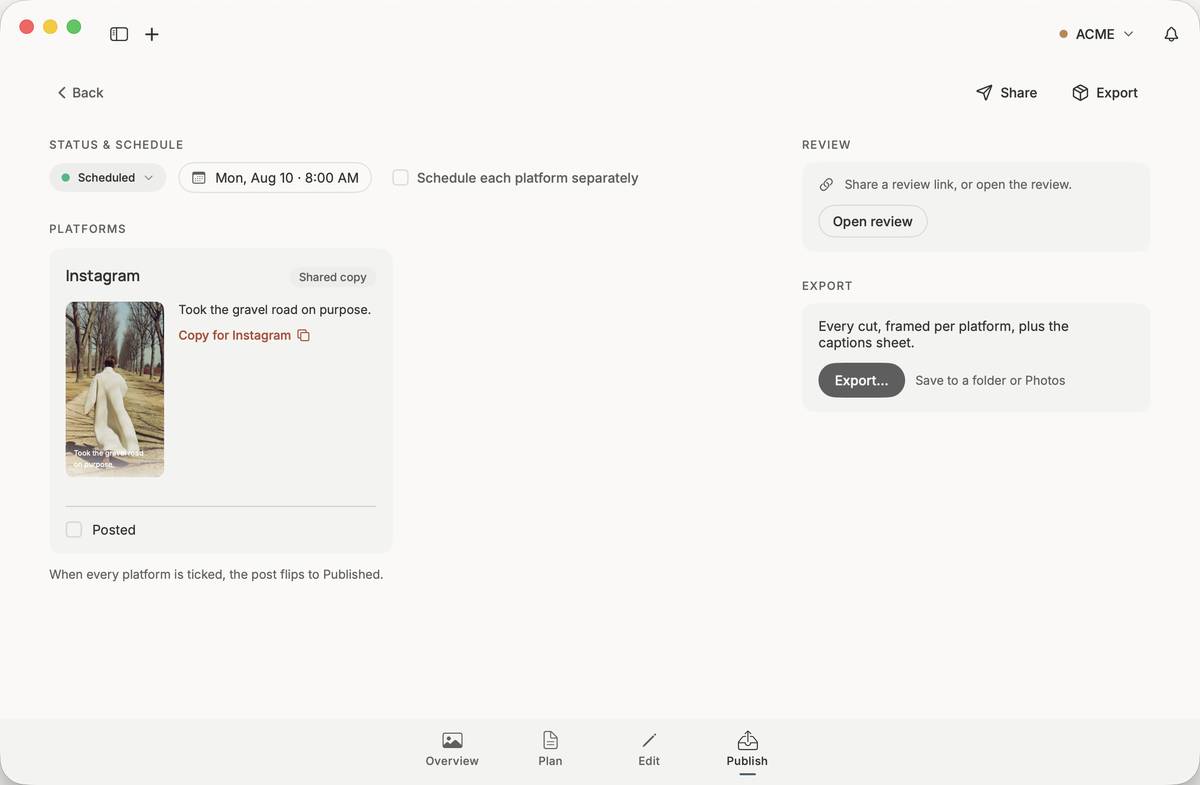
06Publish
Copy each caption, post it, tick it off. When every platform is ticked, the post is marked Published.
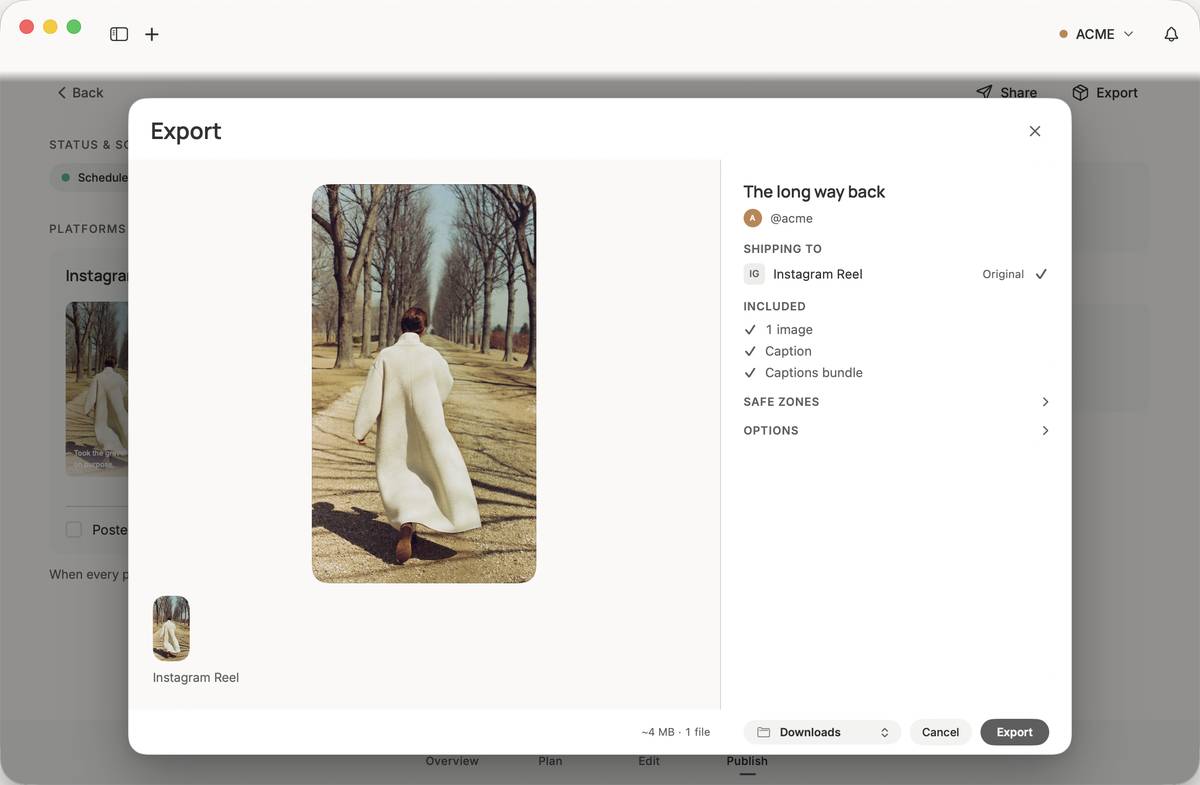
07Export
Every cut, framed per platform, plus the captions, saved to a folder or Photos.
- The Twin Arc mark opens and four real ACME cards follow its sweep into the Library.
- The Library leaves before the August Month schedule arrives.
- The window holds still through a post's Overview, Plan, Edit, and Publish stages.
- The tour finishes on the real Export sheet.
- Library. Every post in one place, shown as the work itself. Persona's Library for the ACME brand: posts as image cards, each with its status and send time.
- 30-day view. The month on one page: what goes out, and when. Persona's Schedule in Month view for August 2026, each day showing the posts going out.
- Overview. Open a post and see it whole: what it says, where it's going, and when. A post's Overview stage: the photo, title, caption, schedule, theme, and platform.
- Plan. The brief, the caption, the platforms. Write it once, or once per platform. A post's Plan stage: brief, caption, hashtags, title, themes, and platforms.
- Edit. Crop it, frame it for each platform, set type on it. The original file stays untouched. A post's Edit stage: a text layer on the photo, with typeface, size, spacing, and colour controls.
- Publish. Copy each caption, post it, tick it off. When every platform is ticked, the post is marked Published. A post's Publish stage: status and schedule, the Instagram caption with Copy and Posted, and the Review and Export cards.
- Export. Every cut, framed per platform, plus the captions, saved to a folder or Photos. Persona's Export sheet over the Publish stage, sending one image and its captions to Instagram Reel.
Many brands, one desk
Many brands. One quiet desk.
Every brand you run is its own persona here: its own voice, its own handles, its own Creative Profile. Persona drafts captions, scripts, and hashtags from that profile, so the first draft already sounds like you, not like everyone's assistant. Switching brands is one click, never a re-login.
Start with the brand →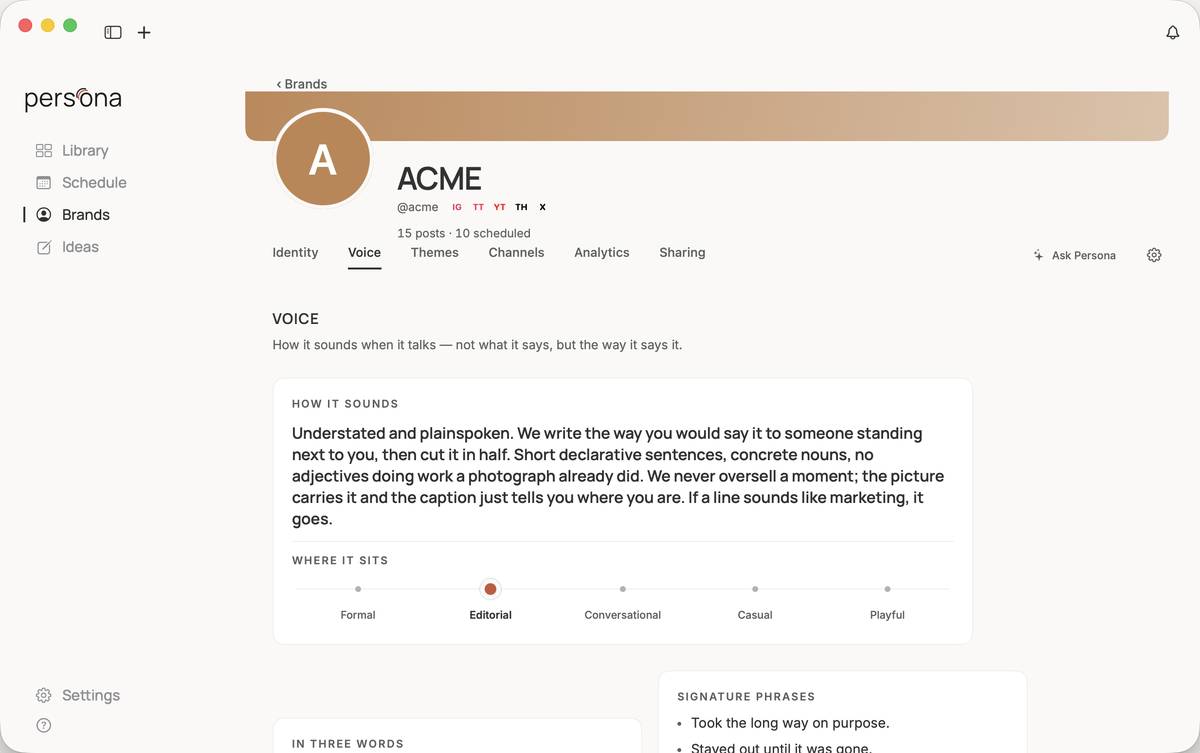
Your library
Your library is a folder.
Not a database on our servers — a folder on your Mac, with your posts and media as plain files inside it. Open it in Finder. Back it up however you like. Work on a plane. If Persona disappeared tomorrow, your library wouldn't.
- Works fully offline
- Syncs through your own iCloud — not our cloud
- No lock-in. Files stay files.
The beta
Currently in a small beta.
We built Persona to run our own brands — it plans every post we publish. We're letting people in slowly, on purpose. Tell us what you make, and we'll send an invite when a seat opens.
Request an invite. When a seat opens, you'll get a code: sign in, redeem it, and download Persona for Mac.